Let your agent search, compare, and remember homes in Portugal
Connect Casatoo to Codex or Claude so your agent can explore listings, save searches, like homes, and compare options using your Casatoo account.
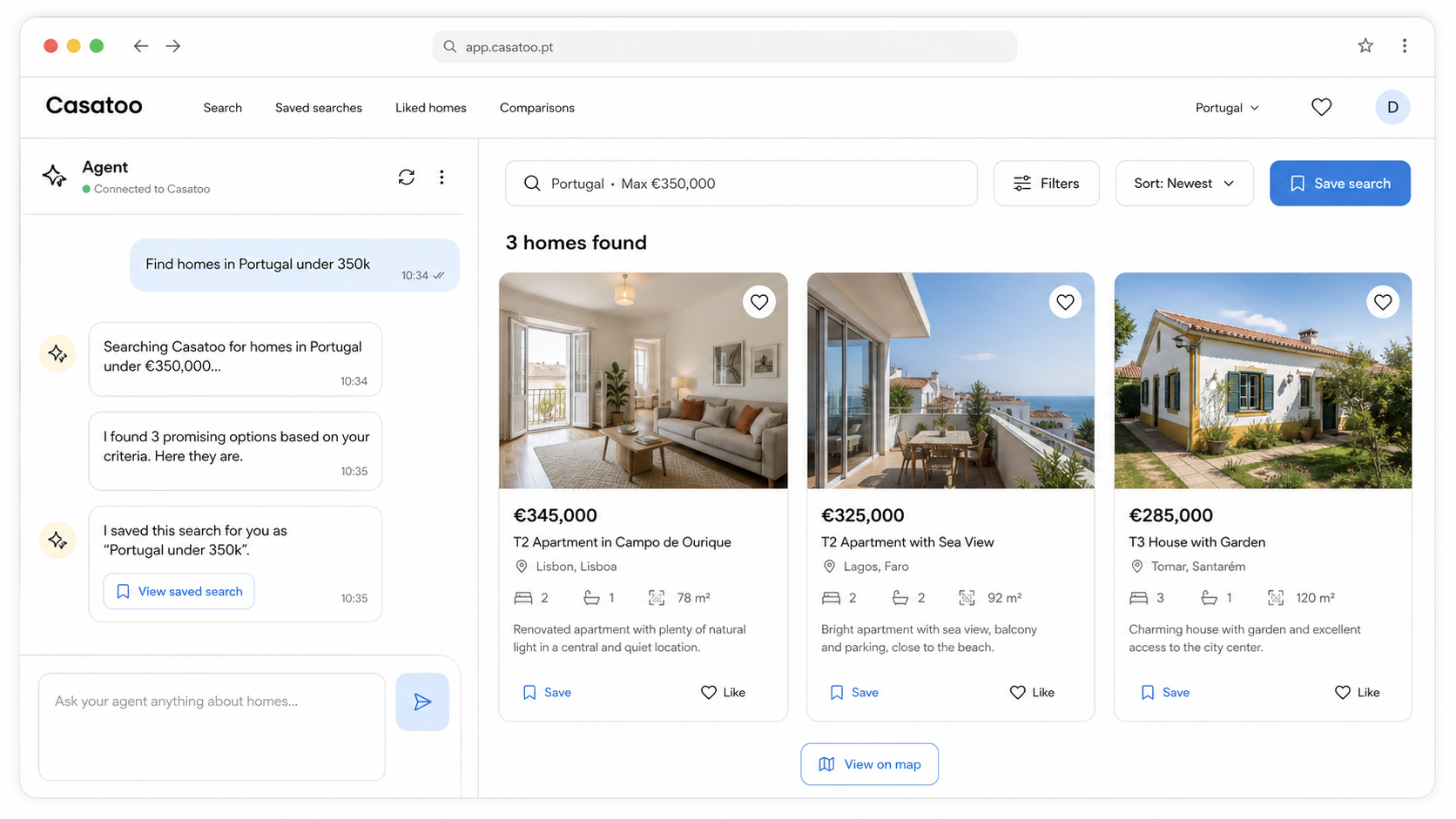
Give your agent the same Casatoo context you use
Instead of copying links back and forth, your agent can call Casatoo directly and keep the search moving.
Search homes
Ask for listings by budget, area, rooms, and tradeoffs without starting from a blank portal search.
Open listing details
Let your agent inspect price, area, source, status, and listing metadata before it reasons about options.
Remember what matters
Save searches, like homes, and come back to a shortlist your agent can continue working with.
Compare choices
Turn scattered listing data into a clearer ranking of the homes worth your attention.
Connect in two commands
Casatoo runs as a hosted MCP server. Your agent opens a secure Casatoo login, you approve access, and then it can use the protected tools.
For Claude, add the same remote endpoint in the connector or MCP settings, then complete the Casatoo login flow.
Start with a real home-search task
The best first test is not a technical ping. Ask your agent to make a useful shortlist.
Find T2 apartments in Portugal under €350k and explain the three strongest options.
Compare my liked homes by price, area, source, and obvious tradeoffs.
Save this search so I can come back to it later.